
-
- Products
- Indoor Household Cords
- Appliance Cords
- General Purpose Short-Length Cords
- General Purpose Extension Cords
- Landscape & Decorating Cords
- Bright Color Extension Cords
- Oil-Resistant Extension Cords
- Cold-Flex Extension Cords
- VividFlex Power Cords
- EXTREME All-Weather Cords
- Cord Management
- Task Lights
- Adapters & GFCI Devices
- Where to Buy
- About
- Careers
- Glossary
- Catalog


Why Is My Exhaust Fan Not Working or Noisy?
When an exhaust fan stops working, the room can change quickly. Steam clouds the mirror. Odors linger. Moisture settles on walls and ceilings. A noisy fan may seem like a minor inconvenience, but it can signal a loose part, worn bearing, blocked duct, or failing motor.
Michael Turner, a ventilation engineer with more than fifteen years of field experience, says, “A strange fan noise is often an early warning, not just an annoyance.” His advice reflects a practical truth. Small ventilation problems can become expensive when ignored. The phrase Exhaust Fan Exhaust Fan may sound repetitive, but the equipment itself deserves careful attention, especially in bathrooms, kitchens, workshops, and commercial spaces.
This guide examines why an exhaust fan becomes silent, weak, rattling, buzzing, or unusually loud. It considers simple causes, including tripped breakers, dirty grilles, stuck shutters, and loose mounting screws. It also discusses airflow restrictions and motor problems that require professional assessment. Turn off the power before inspecting anything. Do not assume a clean cover means a healthy system. That assumption can be wrong.
Some symptoms overlap. A humming motor may suggest a capacitor issue, while poor airflow may come from a blocked duct. Diagnosis is not always obvious. My own first impression can be misleading when a fan sounds normal but moves little air. Careful observation matters. So does knowing when to stop troubleshooting and contact a qualified technician.
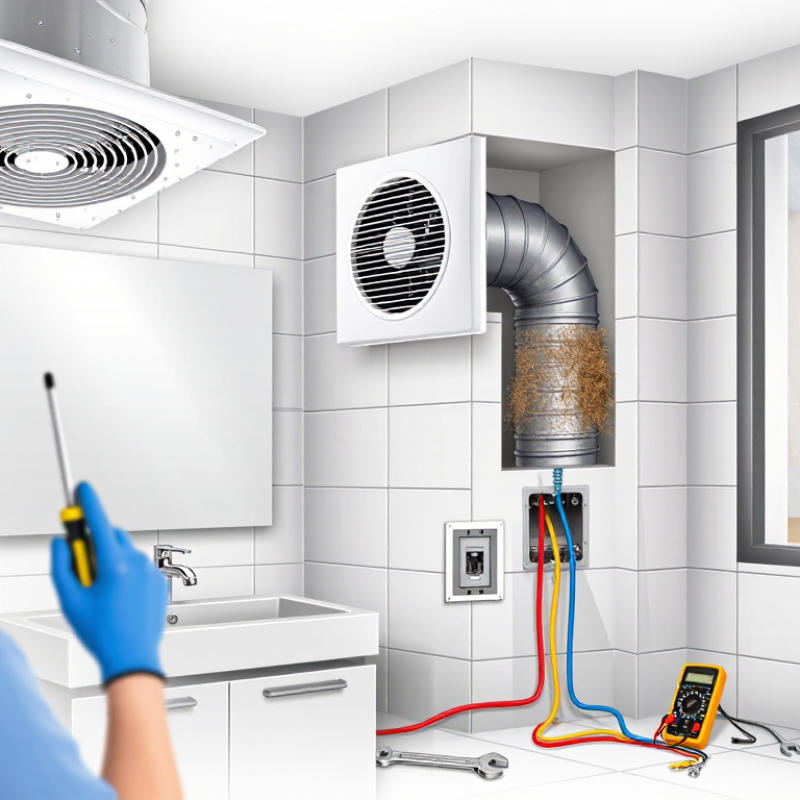
Table of Contents [Hide]
Common Reasons an Exhaust Fan Stops Working or Makes Noise
Why Is My Exhaust Fan Not Working or Noisy?
Common Reasons an Exhaust Fan Stops Working or Makes Noise
An exhaust fan may stop because power is not reaching the motor. Check the wall switch, circuit breaker, and nearby wiring. Turn off the breaker before removing the cover. A loose connection can cause intermittent operation, which is easy to mistake for motor failure. The fan may also shut down after overheating. Let it cool completely before testing it again.
Dust and grease often collect around the grille and fan blades. This buildup restricts airflow and makes the motor work harder. Clean the grille with a soft brush and vacuum the housing carefully. Never spray liquid into the motor. If the fan hums but the blades barely move, worn bearings or a failing capacitor may be responsible. Professional testing is safer than guessing.
Rattling usually points to a loose screw, grille, blade, or duct connection. I have seen a small loose grille create a surprisingly loud vibration. A scraping sound can indicate a bent blade or damaged bearing. Whistling may come from a blocked duct or a stuck exterior damper. Check the duct opening for lint, nesting material, or heavy debris, but avoid climbing onto unsafe roofs. Not every noise means the fan needs replacement. Still, repeated humming, burning smells, moisture near wiring, or a breaker that trips again requires a qualified electrician.