
-
- Products
- Indoor Household Cords
- Appliance Cords
- General Purpose Short-Length Cords
- General Purpose Extension Cords
- Landscape & Decorating Cords
- Bright Color Extension Cords
- Oil-Resistant Extension Cords
- Cold-Flex Extension Cords
- VividFlex Power Cords
- EXTREME All-Weather Cords
- Cord Management
- Task Lights
- Adapters & GFCI Devices
- Where to Buy
- About
- Careers
- Glossary
- Catalog


How to Choose the Best Bar Code Reader?
Choosing the best Bar Code Reader begins with the work it must perform, not the product label. A busy warehouse needs fast scanning, strong drop resistance, and reliable reading from several meters away. A retail counter may value compact design, quiet operation, and easy presentation scanning. Small details matter. Test the reader with glossy labels, damaged edges, curved packaging, and low-contrast prints before making a decision.
George J. Laurer, inventor of the Universal Product Code, described the principle clearly: “The symbol is only a key to information stored elsewhere.” His observation remains useful today. A capable Bar Code Reader cannot repair poor inventory data, weak connectivity, or badly positioned labels. It can only capture the encoded information accurately. Consider 1D and 2D compatibility, USB or wireless connections, battery life, scanning distance, and software integration. Confirm whether the device supports the operating systems used by your team. Also check warranty terms, cleaning requirements, and supplier support.
Practical experience often exposes the difference between specifications and performance. A scanner may read perfectly under showroom lighting, then hesitate beside a cold storage door. That shortcut can fail. Staff comfort matters too; a heavy trigger, narrow grip, or confusing feedback tone slows repetitive work. I would compare several models in the real environment and record missed scans, read speed, and user fatigue. The cheapest option may look efficient initially. It may cost more through interruptions later. No model wins everywhere, so the best Bar Code Reader is the one that fits your labels, workflow, connectivity, and people.
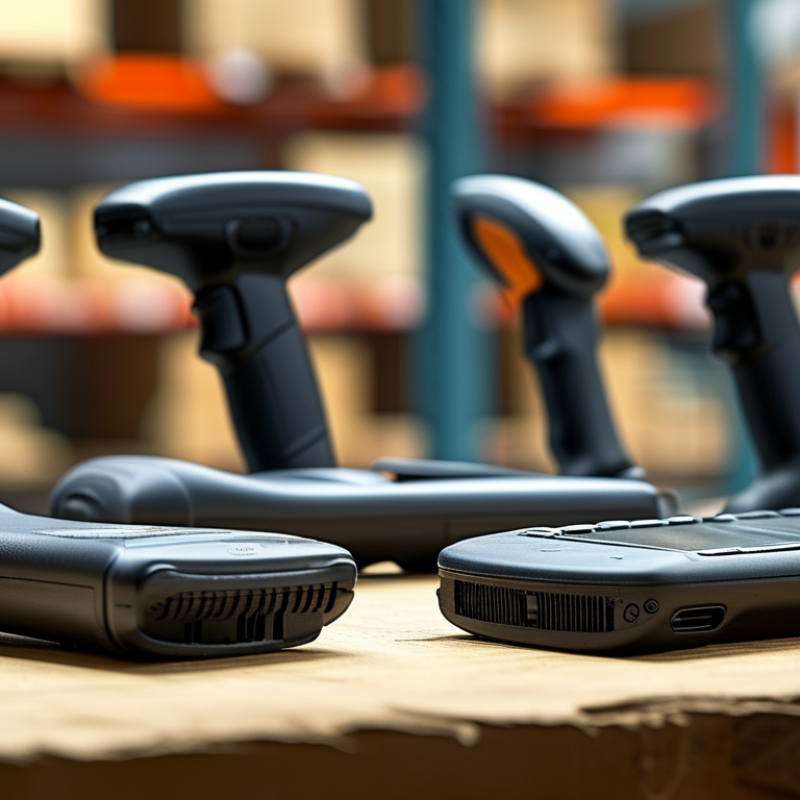
Table of Contents [Hide]
Understanding How Bar Code Readers Work
How to Choose the Best Bar Code Reader?
Understanding how a bar code reader works makes selection more practical. A laser or LED light illuminates the symbol. A sensor measures reflected light and dark spaces. The decoder then converts those patterns into numbers, letters, or commands. With 2D codes, an image sensor captures the entire symbol. Software identifies its position, orientation, and error-correction pattern.
The process is fast, but it is not magic. Dust, glare, damaged labels, and curved packaging can reduce accuracy. A reader also needs the correct wavelength, focus range, and scanning angle. In a warehouse test, I would scan wrinkled labels from different distances, not only clean samples. A perfect demonstration proves little. Human movement matters too.
GS1 reports that barcode technology supports more than five billion scans worldwide each day, showing how heavily operations depend on reliable decoding. Its Sunrise 2027 guidance also highlights the growing use of 2D symbols for richer product data. The International Data Corporation’s 2023 logistics research found that improving operational visibility remains a major technology priority for supply-chain organizations. These findings suggest a reader should match the workflow, not merely offer the highest speed. Consider scan distance, lighting, code type, connection method, and cleaning conditions. A compact reader may suit a checkout counter, while a long-range imaging model fits high shelving. Sometimes, the cheaper option performs better. Sometimes, it becomes expensive after repeated rescans.